


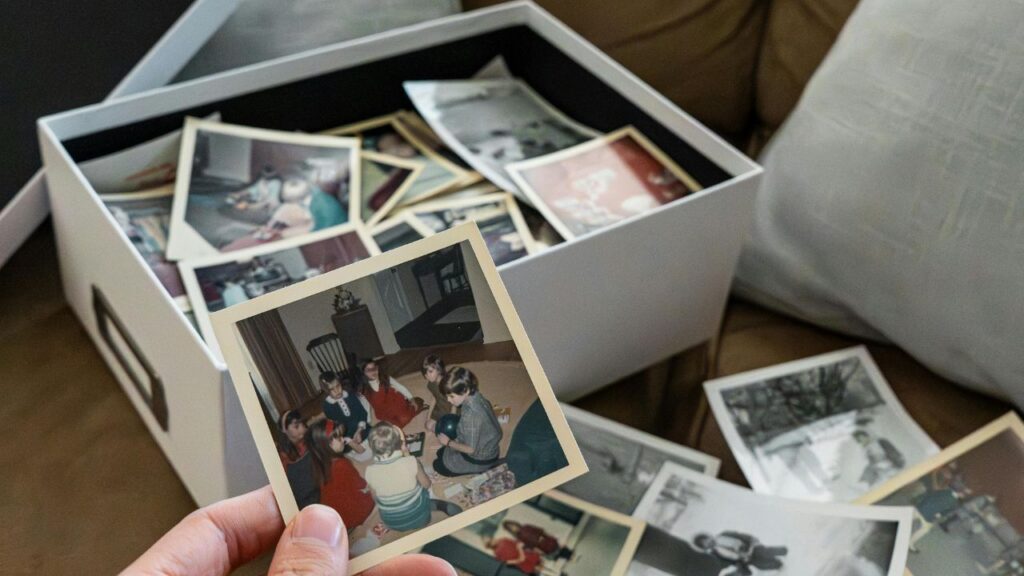
Have you ever stared at a box of old photos thinking, “I really need to do something with these…” Instead of pushing it off for “someday,” let’s take the first step: deciding whether to scan photos yourself or hire a service to do it for you.
Let’s break this down in a very practical way… cost, time, and what this realistically looks like.
option 1: scan photos yourself
What this actually looks like: order a scanner, set it up, learn how it works, and scan photos in batches.
Typical cost:
The cost of a scanner varies based on the type you purchase.
- A high speed scanner costs ~$500 (read more about the one I recommend)
- A flatbed scanner costs much less ~$100-150
Time commitment (this is the part people underestimate):
Scanning photos is a time-intensive, hands-on process. You’ll be removing photos from boxes or albums, feeding them through the scanner, monitoring the output and fixing issues or re-scanning when needed.
A realistic pace for most people:
- ~200 photos/hour with a high-speed scanner (this is the one I recommend)
- ~25 photos/hour with a flatbed scanner (like this one)
Cost/Time Breakdown:
Let’s say you have 1,000 photos to scan, here’s the cost breakdown:
- High Speed Scanner: ~$.50 per photo, ~5 hours of scanning work
- Flatbed Scanner: ~$.15 per photo, ~40 hours of scanning work
And most people have way more than 1,000 photos. So you’re realistically looking at multiple weekends (or more) to complete your project, even with a high speed scanner.
And that’s if you stay consistent… most people get started and end up leaving the project unfinished.
Pros:
- More affordable
- Your photos never leave your home
Cons:
- Very time-consuming
- Easy to lose momentum halfway through
- Setup and tech can feel like a hurdle
Scanning yourself works best if you have a smaller photo collection and don’t mind repetitive work. If you decide you want to scan yourself, my Organizing Old Photos course will help you with the correct settings and most efficient workflow.
option 2: hire a scanning service
The “I don’t want to deal with this, but I want this done” option.
What this actually looks like: boxing up your photos and shipping them (or dropping them off locally), the company scans everything and sends back your originals + digital files.
Typical cost:
I charge $.79 per photo to scan print photos, but many other services cost much more. If you send your 1,000 photos to Miss Freddy to scan, you’re looking at $790 + shipping cost (~$25) = $815. (learn more about my scanning services here)
Time commitment:
Very little on your end. Turnaround is usually a few weeks, but you’re not the one doing the work.
Pros:
- Saves a huge amount of time
- No learning curve
- Guaranteed completion!
Cons:
- More expensive than purchasing a scanner, if you have a large quantity
- Trusting a company with your photos
This is best if you know you’re unlikely to follow through on your own and just want this done.
things most people don’t think about
These are a few things you may not be considering that may help you decide which path is best for your photo collection.
1. The emotional weight
Going through old photos can be surprisingly heavy. Especially if you’re dealing with grief (often print photos are inherited after losing a loved one).
2. Follow-through
A lot of people start scanning with the best intentions… and then life gets busy. And then it’s a constant “I really should get back to that project” weighing on you.
3. Scanning is only step one
This is the big one. Once your photos are digitized, you still need to: add them to your digital photo library, back them up, and actually use them (sharing, photo books, etc).
If that feels overwhelming, scanning yourself might not be where you want to spend your energy.
so… should you scan photos yourself or hire a service?
Scan them yourself if: you don’t mind a hands on project, have a lot of time to devote to this task, and want to keep costs low.
Hire it out if: you’ve been putting this off for years, your time and energy are limited, and you want this handled.
For most of the busy moms I work with, hiring this out is worth it. Not because they can’t do it, but because they realistically won’t.
That said, if you have a smaller batch of photos or you enjoy this kind of project, scanning yourself can absolutely work. My Organizing Old Photos course will walk you through the best settings to use and a time-saving workflow.
There’s also a middle ground: scan a small set yourself and outsource the rest. I have many clients who decide to scan their print photos, but send me their oversized scrapbook pages/negatives/slides because they need more special handling or different equipment. (Learn more about my scanning services.)
After your photos are digitized, it’s time to make sure they’re organized and backed up so you can actually enjoy them. If you want help with that part:
- My Backup Bootcamp™ course walks you through it step-by-step
- Or we can handle it for you with my done-for-you organizing service
Either way, the goal is the same: not just getting your photos digitized, but making them available at your fingertips so you can USE and ENJOY them!