


One really common mistake made when editing photos is over editing skin. Skin smoothing apps and filters are really, really popular right now, but in my opinion they often look very obviously fake (people have freckles, friends… and it’s ok!)
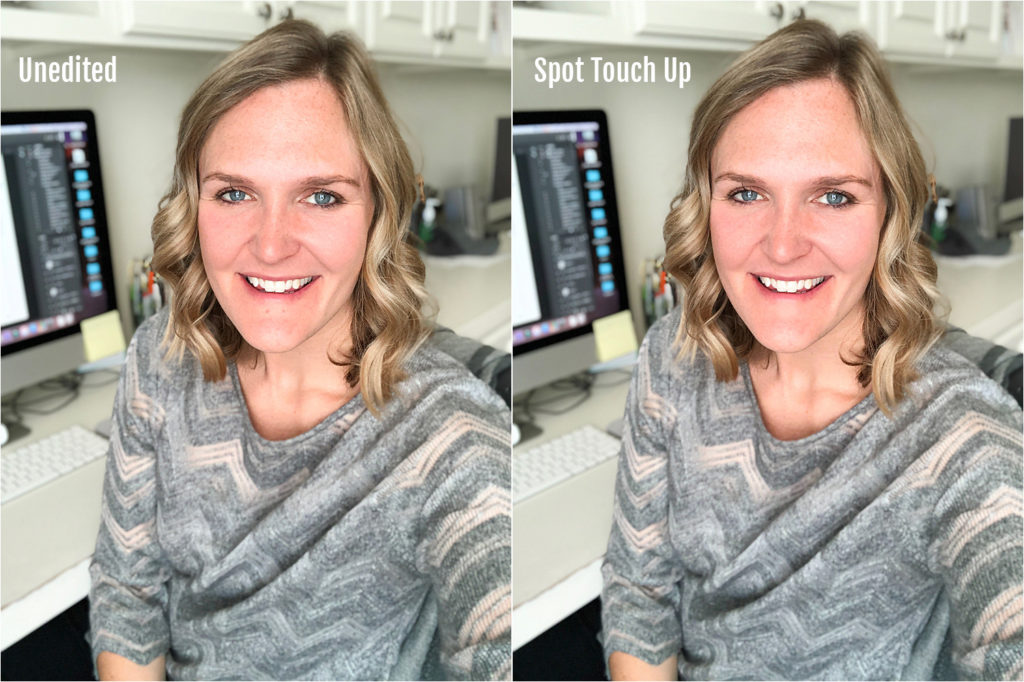
Instead of applying an automatic overall skin smooth, I prefer to do manual spot cleanup to achieve a much more natural look using the Touch Retouch App (available on both iPhone and Android for $1.99). See how I removed the two zits from my chin in the photo below, instead of smoothing my entire face to blur them out? (And bonus! You can still see my freckles!)
Check out how easy it is to do…
WANT MORE PHOTO EDITING TIPS?
Don’t miss my brand new editing courses!
My Basic Photo Editing for Lightroom course will teach you how to transform your images on Desktop + Mobile (using the Lightroom program).
My Basic Photo Editing on your Phone course includes tutorials for achieving natural, timeless edits using free (or almost free) apps available on iPhone and Android.